Custom software vs off the shelf: sooner or later, most growing businesses have to pick a side. It usually happens on the day someone suggests adding a sixth subscription to the five that already don’t talk to each other. The short answer is that off-the-shelf software suits standard work and fast starts, while custom software earns its cost when your workflow is unusual, your integrations are complicated, or the process itself is part of why customers choose you.
Canadian businesses already rely heavily on ready-made tools. Statistics Canada found that cloud computing was the most widely used technology among businesses with five or more employees in 2023, at 48%. Plenty of those subscriptions do their job well. The trouble starts when the business changes and the software doesn’t.
Below you’ll find the honest pros and cons of each option, seven questions that usually settle the decision, the costs that rarely appear in a quote, and what to know about where your data is stored. For the bigger picture, see everything you need to know about custom software development.
Key takeaways
- Off-the-shelf software is built once and sold to many companies. Custom software is built for one company’s way of working.
- Buy when the process is standard, like payroll, accounting or email, and you need it running soon.
- Build when the process sets you apart, connects to several systems, or keeps forcing workarounds.
- Many businesses do both: off-the-shelf tools for the basics, custom pieces on top.
- Compare costs over three to five years, not just the first invoice.
What’s the difference between custom and off-the-shelf software?
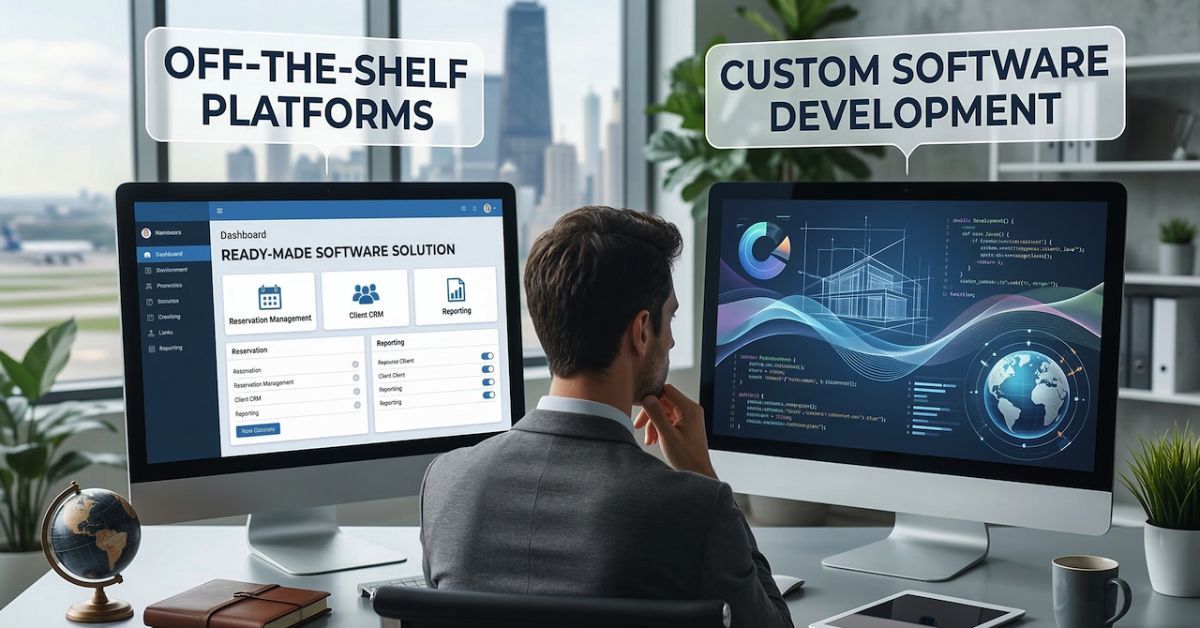
Off-the-shelf software is a finished product sold to many businesses at once, usually as a monthly subscription. Custom software, sometimes called bespoke software, is designed and built for one company’s processes, and that company owns it. The first is quick to start and fits most needs reasonably well. The second takes longer and costs more upfront, but fits exactly.
You’ll also come across the term COTS software, short for commercial off-the-shelf. It covers everything from QuickBooks to large enterprise suites. Most of it is now sold as SaaS, so you rent access through a browser instead of installing anything.
Put side by side, the trade-offs are fairly predictable. Off-the-shelf costs less upfront and can be running within days or weeks, while custom software takes months and a bigger first check. Over time the picture can flip, because subscription fees rise with every user you add, and a system you own doesn’t charge rent. Growing on a packaged tool usually means moving up a pricing tier; growing on custom software means adding capacity you control.
Integrations are limited to the connectors a vendor offers, whereas custom software can connect to almost anything with an API. With off-the-shelf, you’re licensing someone else’s product, support comes from their help desk, and your data sits wherever they host it. With custom, you own the code, support comes from your developer or your own team, and you decide where the data lives.
Off-the-shelf software: pros and cons
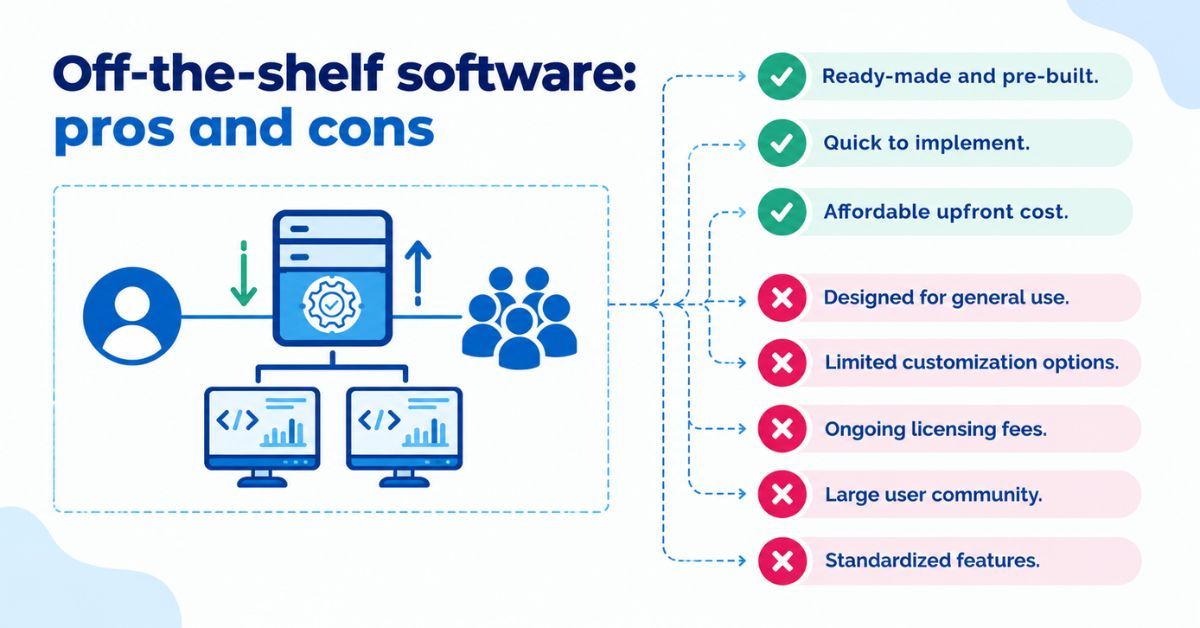
For a lot of jobs, building your own would be a waste of money. Nobody needs a custom payroll system to pay twelve people, and tools like QuickBooks have been shaped by years of feedback from bookkeepers. That’s the real strength of off-the-shelf software: thousands of other businesses have already found the bugs.
It’s quick, too. You can sign up for Salesforce, Microsoft Dynamics 365 or Shopify this afternoon and have something usable within days. The vendor looks after hosting, security updates and new features, and the starting cost is low.
The downsides tend to show up later. Most products charge per user, per month, so the bill grows with your team whether the software does more for you or not. Specialized features often sit in higher tiers or paid add-on apps, and on a Shopify store those apps can quietly multiply. Customization only goes as far as the vendor’s settings allow, and large suites such as SAP or Dynamics may need paid consultants just to configure them properly.
Then there’s vendor lock-in. After a few years, your data, workflows and staff habits are all built around one product. If prices rise or a feature you depend on disappears, leaving is possible but painful. None of this makes off-the-shelf a bad choice. It means the licensing fee is where the cost starts, not where it ends.
Custom software: pros and cons
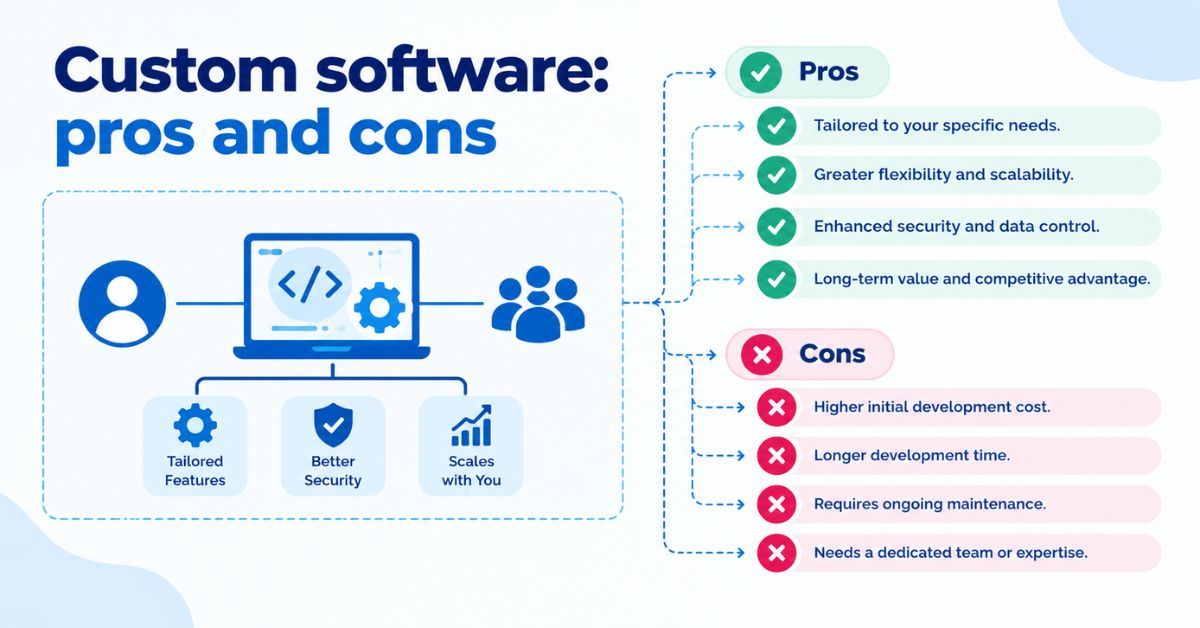
Good custom software is mostly invisible. Staff stop keeping side spreadsheets, stop entering the same order in two places, and stop explaining to new hires which screens to ignore. The software does what the business does, in the order it does it.
That fit is the main advantage, and it adds up over time. If your quoting process, scheduling rules or customer portal is part of why clients pick you, custom software protects that competitive advantage instead of squeezing it into the same template your competitors use. You also own the code and the data outright, which matters if you sell the business, change developers, or want a new feature without waiting on a vendor’s roadmap. And there’s no per-seat fee for your twentieth user.
The drawbacks are real, and any developer who skips over them isn’t being straight with you. Custom software costs more upfront. It takes months, not days, before anyone uses it. Once it’s live, someone has to maintain it, apply security updates and fix what breaks. Quality also depends heavily on who builds it. A poorly scoped project can end up as expensive and rigid as the tool it was meant to replace.
So when you weigh the custom vs off-the-shelf software pros and cons, the honest summary is this: custom buys you fit and control, and you pay for them in time, upfront money and responsibility.
Build vs buy: 7 questions to ask before you decide
Most build vs buy software decisions settle themselves once you answer a few plain questions honestly.
- Is this process part of why customers choose you? If yes, lean toward building. If it’s back-office work like payroll, buy.
- How many systems does it need to connect to? One or two is usually fine off the shelf. Five or six is where ready-made connectors start to break.
- How fast will your team grow? Per-user pricing that suits ten people can look very different at fifty.
- Do compliance or data residency rules apply? Health information, Quebec customers or client contracts that require Canadian hosting all narrow your options.
- Are you budgeting for one year or five? Off-the-shelf usually wins on a one-year view. Custom often catches up over five.
- Who will look after it once it’s live? Without an in-house team or a dependable development partner, custom software becomes a risk.
- How soon do you need it working? If the answer is next month, buy now and revisit the question later.
If most of your answers point to standard needs, a short timeline and a small team, buy. If several point the other way, especially the first two, it’s worth exploring software built around your workflows.
Is a hybrid approach better?
Often, yes. Many businesses get the best result by keeping off-the-shelf tools for standard jobs and building custom pieces only where those tools fall short.
In practice, QuickBooks might stay for accounting and Shopify for the storefront, with a custom layer between them. That layer syncs orders and inventory through each product’s API, produces the reports the owner actually wants, and automates the handoffs staff used to do by hand. Nothing gets ripped out, and nobody has to learn a new accounting system.
A hybrid setup also spreads the risk. Your development budget goes to the narrow part of the operation that’s genuinely unusual, rather than rebuilding things the market already does well. And if one of the off-the-shelf tools stops working for you later, swapping it out is easier when the custom layer was designed to connect to whatever comes next.
For many Canadian small and mid-sized businesses weighing custom software vs off the shelf, this middle path turns out to be the most practical answer.
The costs nobody puts in the quote
Ten users at a per-seat price is an easy approval. Forty users two years later, on a higher tier, with three add-on apps and a consultant who reconfigures things every spring, is a different conversation. That’s why it pays to look at total cost of ownership across several years instead of the first invoice.
With off-the-shelf software, the costs that rarely appear upfront are seat growth, tier upgrades for features you assumed were included, paid integrations and add-ons, and staff time lost to workarounds. If you ever leave, data migration and retraining bring their own bill.
Custom software has hidden line items of its own. Hosting is ongoing, and so is maintenance: security patches, fixes when connected systems change their APIs, and small improvements as the business grows. A sensible budget sets money aside every year for this, not only for the initial build.
Neither list is a reason to rule an option out. They’re a reason to compare like with like. For actual figures, see our guide to what custom software costs in Canada.
Where does your data live? Canadian considerations
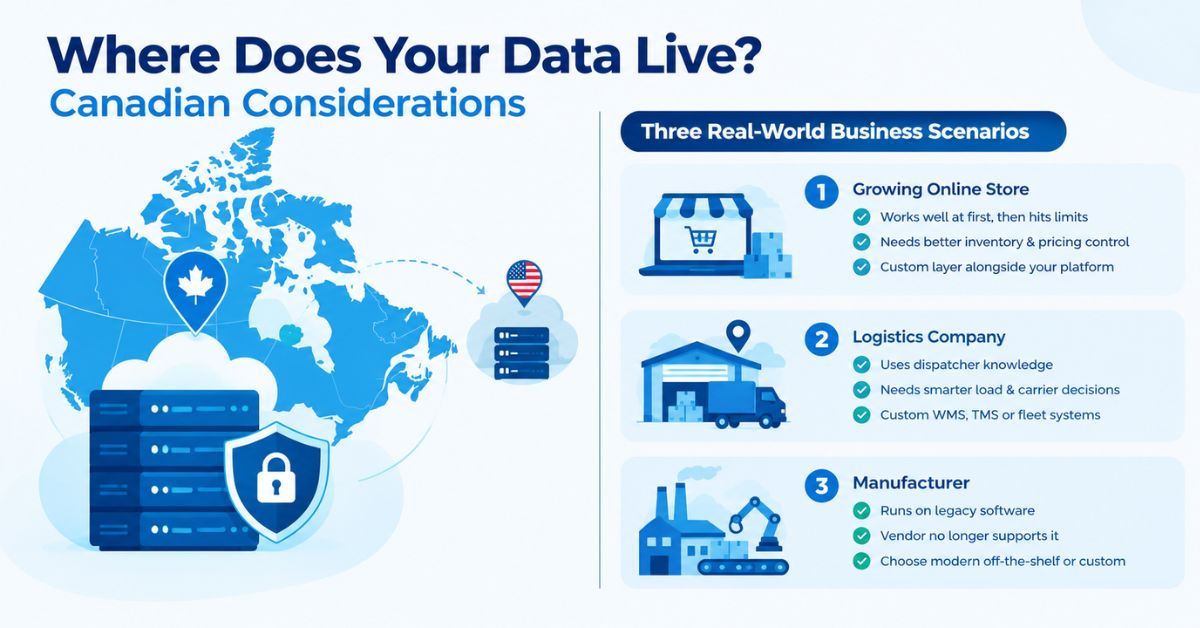
Many popular SaaS products store customer data on servers in the United States, and plenty of buyers don’t check until a client or auditor asks.
Under PIPEDA, using a provider outside Canada is allowed, but you remain responsible for the personal information you hand over. The Office of the Privacy Commissioner’s guidelines for processing personal data across borders expect you to protect that information through your contracts and to tell customers it may be stored or processed in another country. Quebec’s Law 25 goes further, requiring a privacy assessment before personal information leaves the province.
More off-the-shelf tools now offer Canadian hosting, though sometimes only on premium plans. With custom software, data residency is simply a decision you make at the start by hosting in a Canadian data center.
Real-world scenarios
A few situations come up again and again.
An online store launched on a standard ecommerce platform, and it worked well for the first few years. Now it runs on a dozen paid apps, the inventory sync breaks every few weeks, and wholesale buyers need pricing the platform can’t handle. The sensible move usually isn’t leaving the platform. It’s building a custom layer for wholesale orders and inventory alongside it. We’ve looked at when growing online stores need custom ecommerce software in more detail.
A regional logistics company assigns loads and chooses carriers using rules that live in its dispatchers’ heads: which receivers accept late appointments, which drivers know certain docks. No packaged system captures that. Here, custom WMS, TMS and fleet systems, or custom modules on top of an existing TMS, turn that knowledge into something the next hire can use.
A manufacturer still runs its production scheduling on software installed in 2009. The vendor stopped updating it years ago, it only runs on one old server, and the person who understood it best has retired. Legacy systems like this rarely make sense to keep patching. The real choice is between a modern off-the-shelf replacement and a custom rebuild, and our guide on how to replace or upgrade aging business software explains how to weigh the two.
Three businesses, three different answers. That’s the point.
Frequently asked questions
Is custom software more expensive than off-the-shelf?
Upfront, almost always. Over three to five years, not necessarily, because subscription fees keep growing with users and add-ons, while a custom system has no per-seat charge. It depends on your team size, how long you’ll use the software and how much maintenance it needs.
When should a small business choose off-the-shelf software?
When the process is standard, the team is small and you need something working quickly. Accounting, payroll, email, scheduling and basic CRM are almost always better bought than built. Revisit the decision once workarounds start costing more than the software does.
Can off-the-shelf software be customized?
Up to a point. Most products offer settings, custom fields and add-on apps, and larger platforms like Salesforce or Dynamics 365 allow deeper configuration. Beyond that, you’d build a custom integration or module that connects to the product through its API.
Who owns the code in custom software?
That depends on your contract, so check before you sign. A good agreement gives your business ownership of the code and all of its data, plus access to the source code and hosting accounts, so you can change developers without starting over.
Can I start with off-the-shelf and move to custom later?
Yes, and it’s often the smartest route. Using an off-the-shelf tool first teaches you what you actually need. When you outgrow it, you can build custom pieces around it, and replace it entirely only if that still makes sense.
Buy what’s standard, build what’s yours
The custom software vs off the shelf decision rarely has to be all or nothing. Buy the tools that handle common jobs well. Build where your business works differently from everyone else, then connect the two so your team stops doing the joining by hand.